

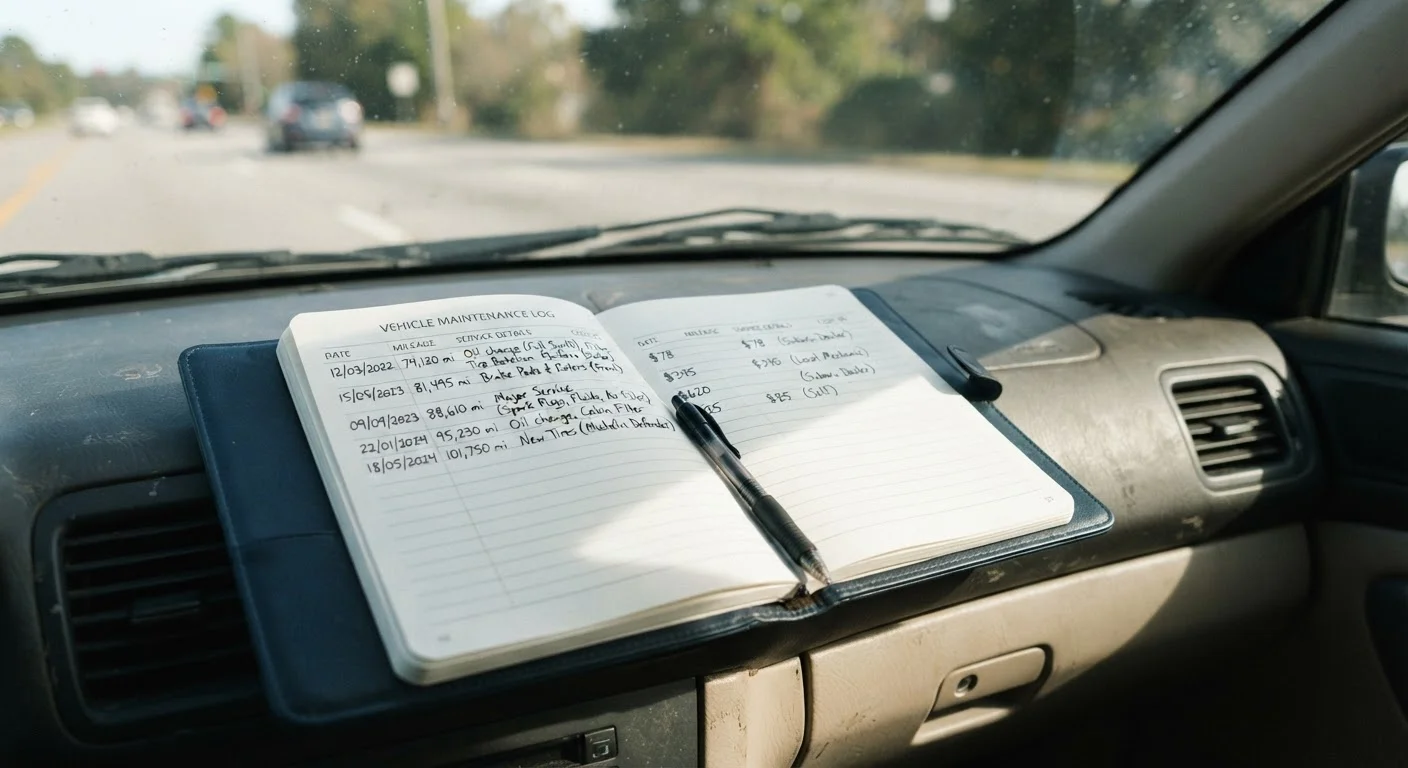
Why a Maintenance Log Is Worth the Effort
Most drivers rely on memory or a stack of receipts shoved in the glovebox to track their vehicle's service history. Neither approach holds up over time. A structured maintenance log - whether a dedicated notebook or a smartphone app - gives you a single, reliable record of everything done to your vehicle, when it was done, and at what mileage.
That record does several jobs at once. It helps you stay ahead of upcoming services so you're not guessing when the last oil change happened. It gives a mechanic useful context when diagnosing a problem - a log showing that the coolant was last flushed at 60,000 miles tells a story that "I'm not sure" does not. And when it's time to sell, documented service history is one of the few things that genuinely differentiates your car from an identical model with no records. Buyers and dealers both respond to proof.
For a deeper look at what formal vehicle history reports cover - and where they fall short - see how a vehicle history report works. Your personal log fills many of the gaps those reports miss.
Start Simple, Stay Consistent
The most common reason maintenance logs fail is that drivers make the system too complicated to maintain. A basic notebook with four columns will outlast any elaborate spreadsheet you abandon after two entries. Simplicity and consistency beat sophistication every time.
What to Record in Every Entry
A useful log entry doesn't need to be elaborate. At minimum, capture four pieces of information for every service event:
- Date - when the service was performed
- Odometer reading - the mileage at the time of service
- Service performed - be specific (e.g., "synthetic oil change, filter replaced" rather than just "oil change")
- Cost - what you paid, including parts and labor
Beyond the basics, note who did the work (dealer, independent shop, or DIY), any parts replaced by brand or part number if you have them, and any observations the mechanic flagged for future attention. These details transform a log from a simple record into a diagnostic tool.
It's also worth cross-referencing your entries against your owner's manual's recommended intervals. If you haven't yet worked through that section of the manual, reading the maintenance schedule section explained is a practical place to start.
Choosing Your Format: Paper vs. Digital
There's no universally superior format - the right choice is the one you'll actually use consistently.
Paper logs are low-tech, require no internet access, and can travel with the car. A dedicated spiral notebook kept in the glovebox works fine. The downside: they can be lost, damaged, or left behind when you sell.
Digital options include spreadsheet templates, note-taking apps, and purpose-built vehicle maintenance apps. These make it easier to set service reminders, search past entries, and back up data to the cloud. If you sell the car, you can export and print the full history to hand over to the buyer.
Some drivers keep both - a paper log in the car for quick entries, synced periodically to a digital backup. Whatever you choose, store a copy somewhere other than the vehicle itself.
What you will need
How to Start Your Log Today
If your vehicle has no existing records, don't let that stop you. A log that starts today and runs forward for several years is meaningfully more useful than no log at all.
Gather your existing service records
Collect any receipts, dealer printouts, or inspection reports you currently have. Arrange them in chronological order. These become your opening entries and establish a baseline mileage history, even if there are gaps.
Choose and set up your log format
Select a notebook or app and create a consistent entry template. At minimum, your template should have columns or fields for: date, odometer, service description, cost, and shop or technician. Label the first page with your vehicle's year, make, model, VIN, and purchase date.
Enter your historical records
Working from oldest to newest, log each service event you've documented. Where you have gaps, note them honestly - write "no records available" for the missing period rather than leaving blank space. Buyers and mechanics appreciate transparency over unexplained gaps.
Log every service going forward
After every service event - oil change, tire rotation, brake inspection, fluid top-up - make an entry before you forget. Aim to log it within 24 hours. If a mechanic flags something for future attention, note that too with the mileage at which it was mentioned.
Check routine maintenance schedules most drivers quietly skip for a reminder of services that often go unrecorded because drivers don't realize they're due.
Back up and store your log safely
If using paper, photograph or scan your entries periodically and store them in cloud storage or email them to yourself. If using an app, confirm automatic backup is enabled. Keep a printed or exported copy with the vehicle's title and other ownership documents.
Once your log is running, it becomes one of the simplest habits in vehicle ownership. Pair it with a seasonal check-in routine - the seasonal car maintenance rhythm most drivers ignore outlines what to look for throughout the year - and you'll have both the records and the reminders working together. Drivers who keep detailed logs tend to keep their vehicles longer too; for habits that support high-mileage ownership, see keeping a vehicle for the long haul.
The content on this site is provided for informational purposes only and should not be considered a substitute for professional advice. While we strive to provide accurate and up-to-date information, we make no guarantees regarding its completeness or accuracy. Always consult a qualified professional for advice specific to your circumstances before making any decisions.